Accops HyID is a two-factor authentication solution that can be used either with HySecure or as a standalone solution. It offers a ready-to-use authentication system for third-party applications when used as a standalone solution.
Old School Bypass:
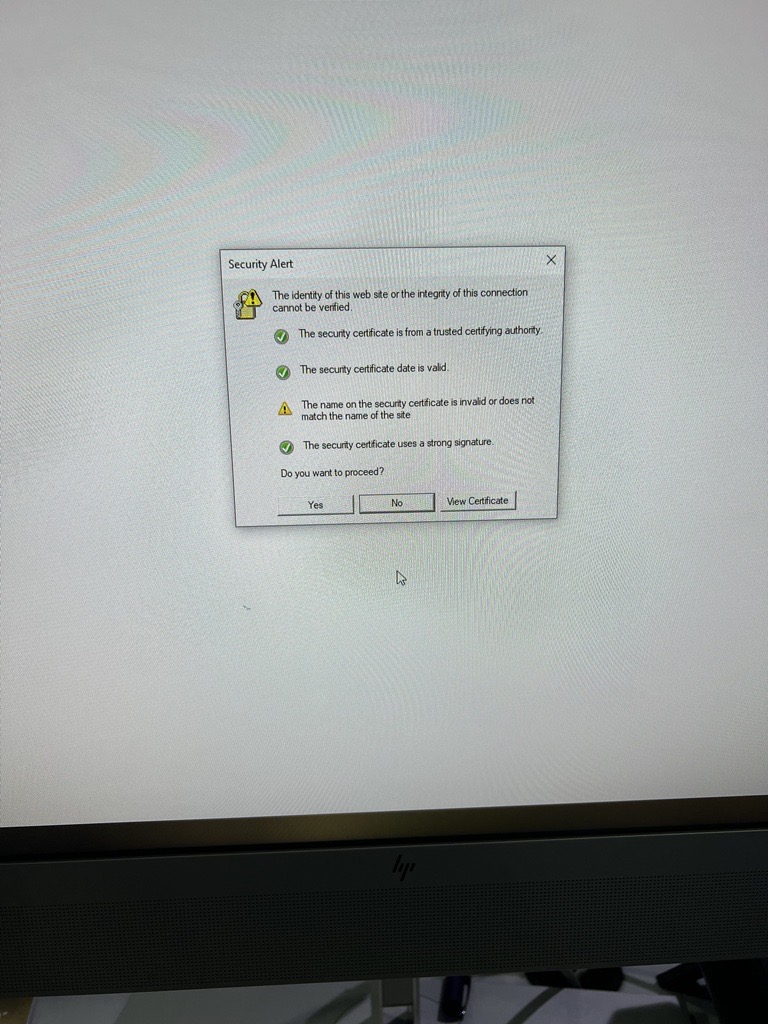
In a recent assessment we came across Accops HyID for desktop two factor authentication. Out of curiosity we dug in a little bit, on the desktop’s login screen pressing ‘Forgot Password’ we were greeted with the following message.
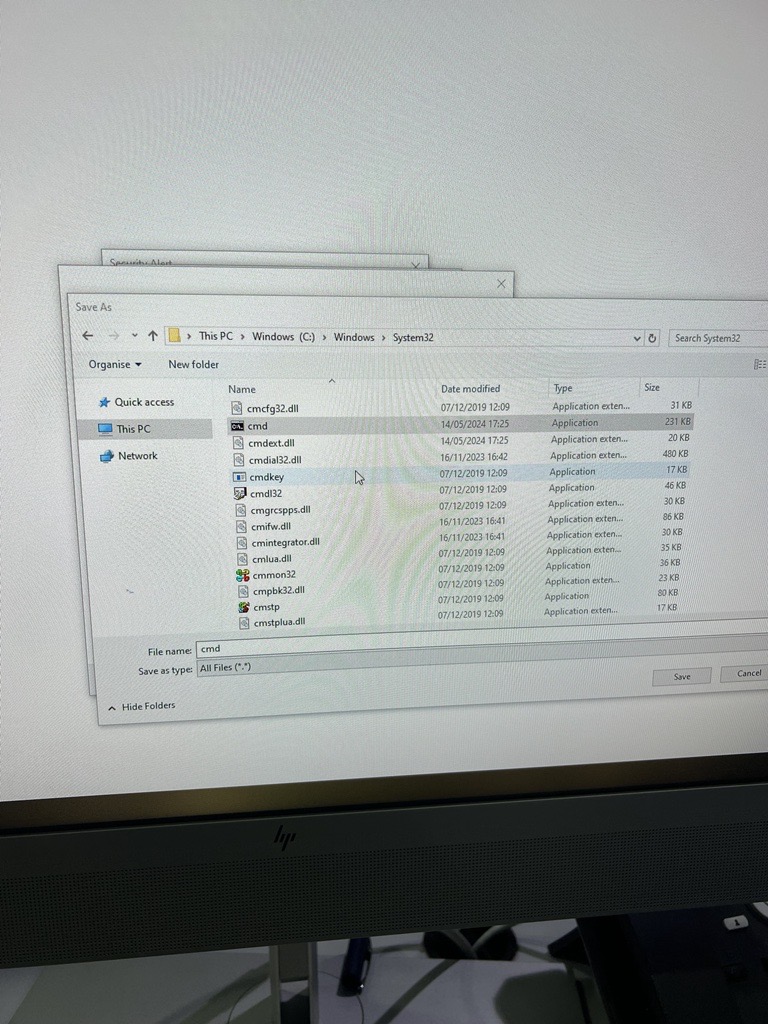
Such type of issues are probably long forgotten, especially in 2024. For our young readers, to exploit this issue click on ‘View Certificate’ and select ‘Copy to File’. You are greeted with an explorer window.
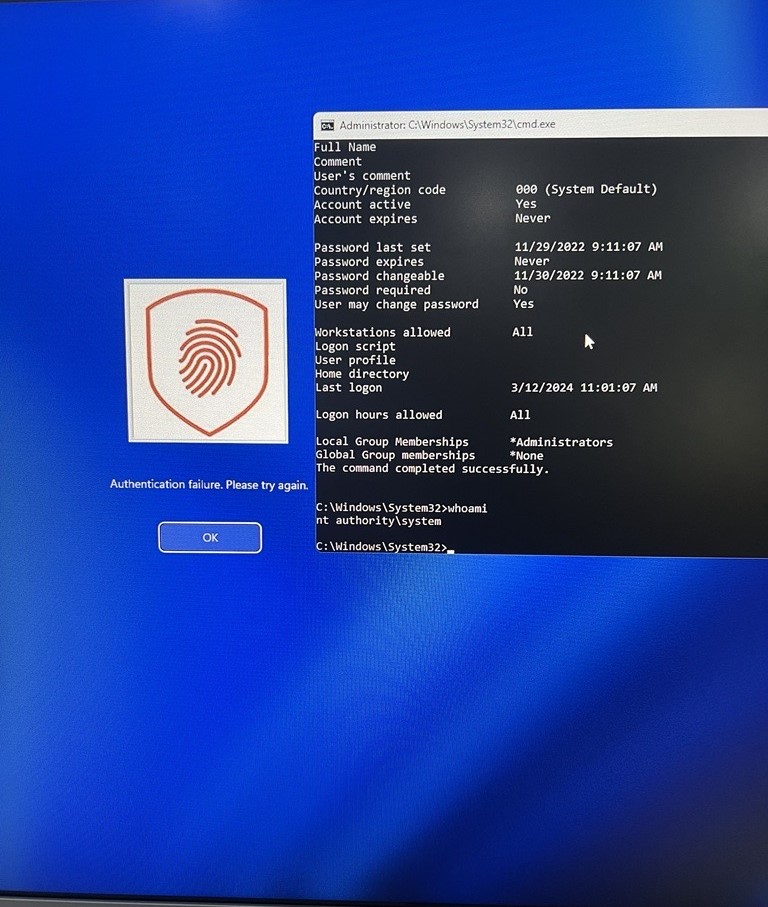
Browse to Windows>System32 and right click and run cmd.exe and you have a SYSTEM shell.
Proxying Credentials:
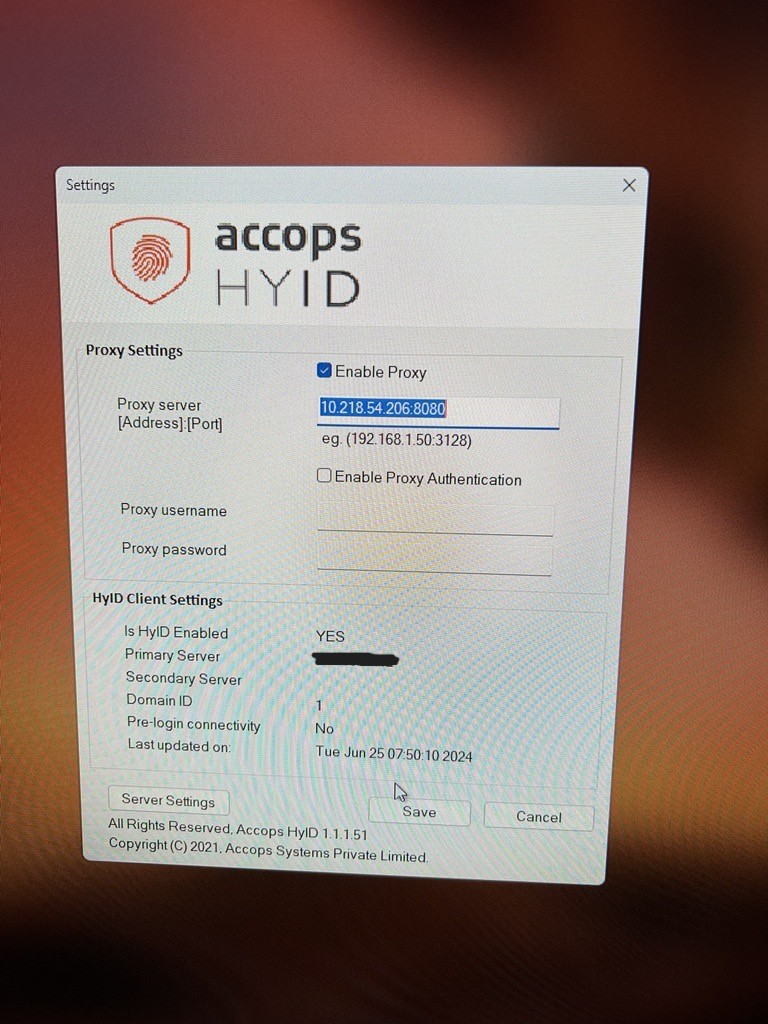
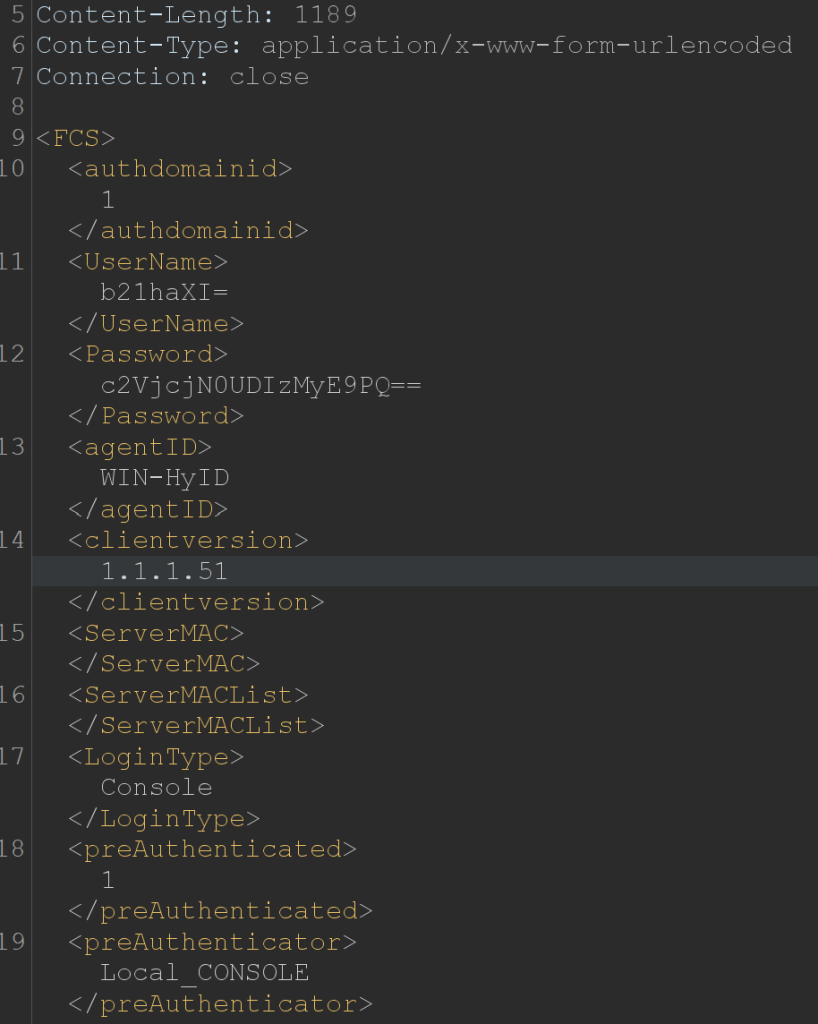
On the desktops where HyID was installed, it was also possible to set a proxy server by clicking on ‘Settings’. We setup our proxy to see what it captures when a user logs in to the desktop.
To our surprise, base64 encoded credentials were being transmitted through our proxy server for authentication.
Bypass OTP:
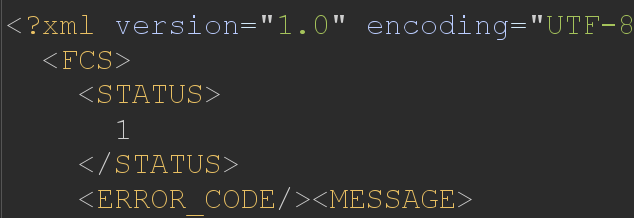
Continuing with our proxy setup, when entering valid credentials to login to the desktop but entering an incorrect OTP, you are shown the following error message.
Simply changing the Status code to 1 bypasses the OTP check and you are logged in to the desktop.
In conclusion, our limited testing uncovered several vulnerabilities that made the desktop insecure just by installing the two-factor authentication (2FA) software. We found ways to execute cmd.exe, change the proxy settings, and bypass the OTP on a locked machine. These findings highlight significant security gaps that need immediate attention.
It is highly recommended that when deploying any software, you get the software audited or ask the vendor for a penetration test report. This ensures that the software is secure and helps protect against potential attacks.